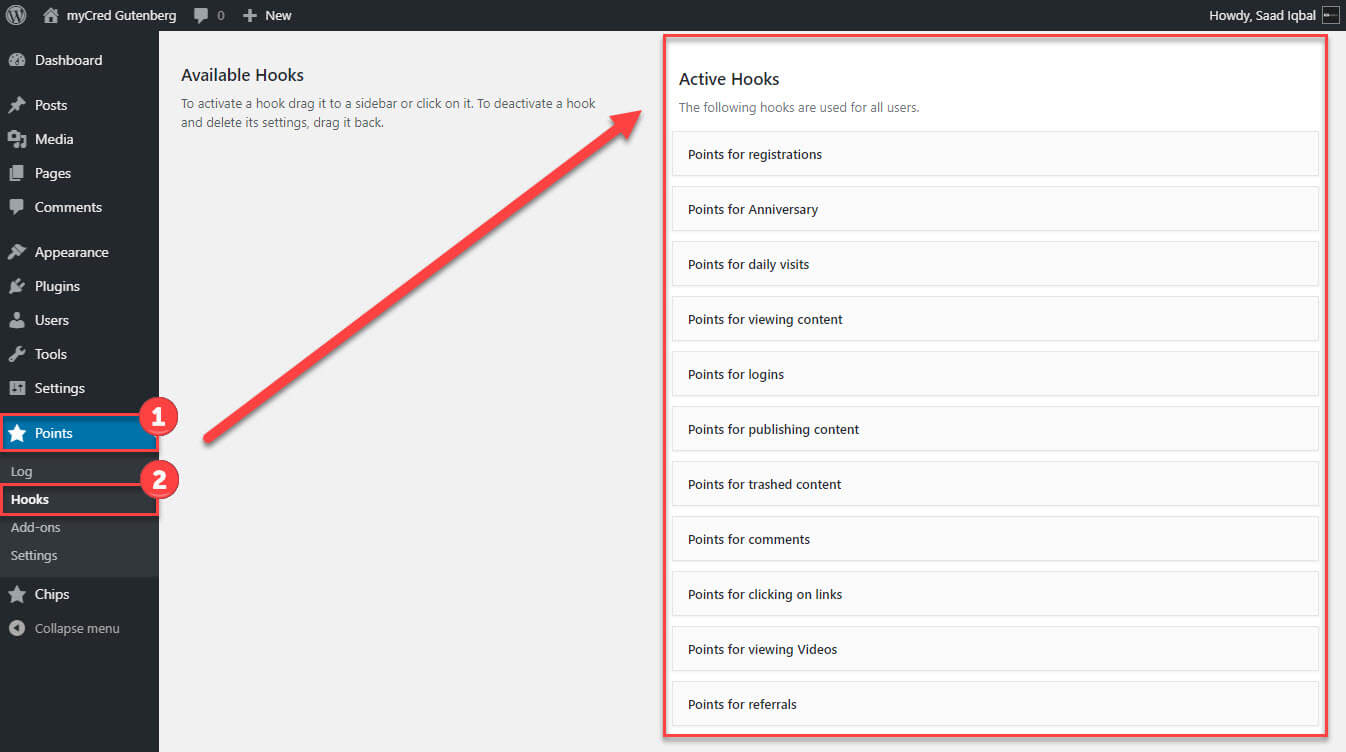
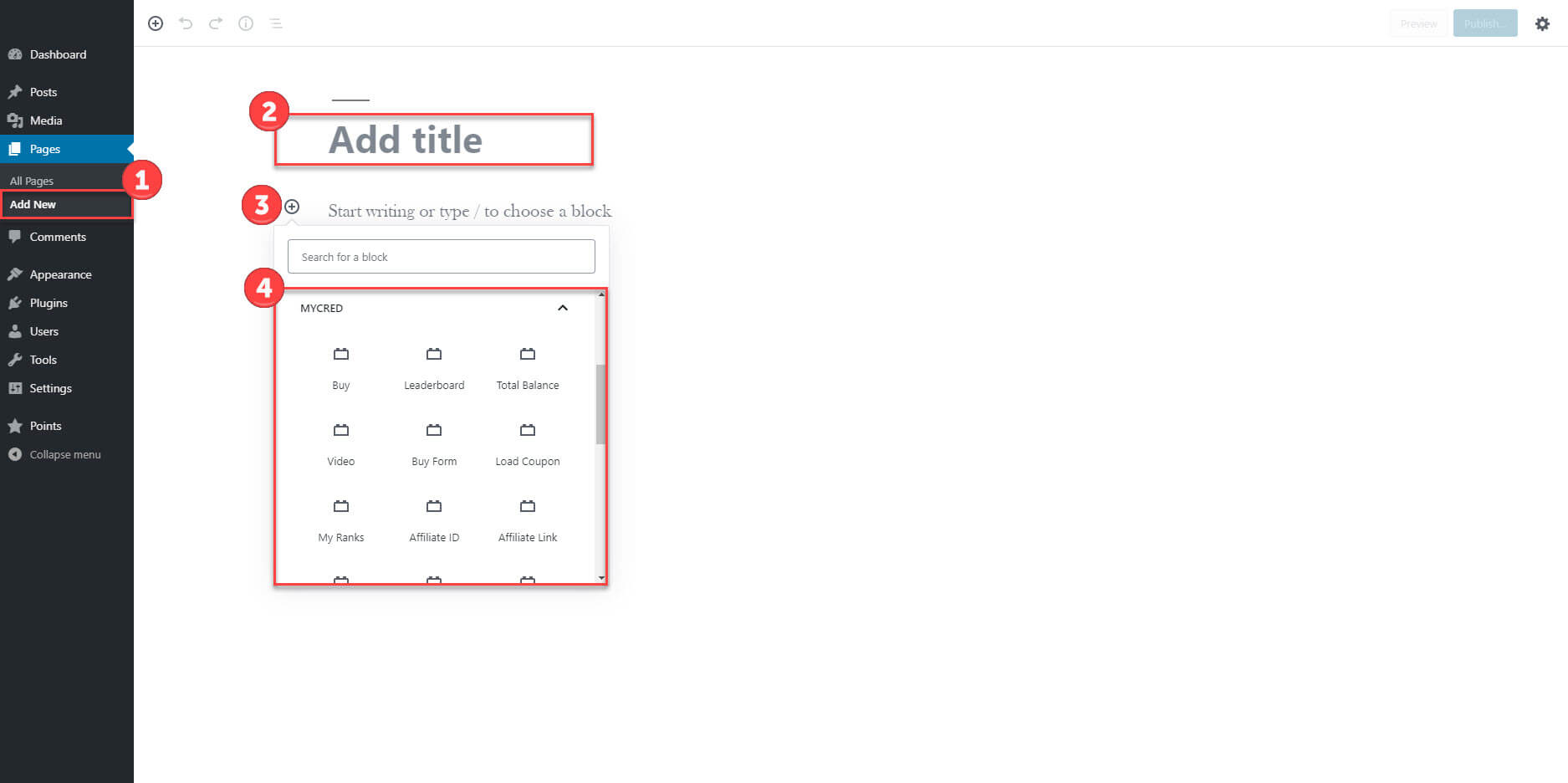
myCred Gutenberg addon allows you to add myCred shortcodes with Gutenberg blocks on your website. Easily manage your myCred shortcodes through the settings of Gutenberg blocks.

Features
Allows you to install and use this plugin on a single website or multisite installation.

Shortcode Support
Easily add myCred shortcodes to the Gutenberg block.

Easy to Use
Manage each shortcode's settings from the Gutenberg block.
myCred Gutenberg addon allows you to add myCred shortcodes with Gutenberg blocks on your website. Easily manage your myCred shortcodes through the settings of Gutenberg blocks.
Installation Guide
Please follow the below instructions step by step.
- Download the zip file from your mycred.me account > My Downloads
- Go to the WordPress Admin Dashboard > Plugins
- Once you are in the plugins page you can see the “Add New” button in the top left corner.
- Click the“Add New” button and upload the zip file of a plugin which you’ve downloaded from mycred.me account.
- Once plugin installed, click the “Activate” button.
To view the documentation
click here
Please follow the below instructions step by step.
- Download the zip file from your mycred.me account > My Downloads
- Go to the WordPress Admin Dashboard > Plugins
- Once you are in the plugins page you can see the “Add New” button in the top left corner.
- Click the“Add New” button and upload the zip file of a plugin which you’ve downloaded from mycred.me account.
- Once plugin installed, click the “Activate” button.